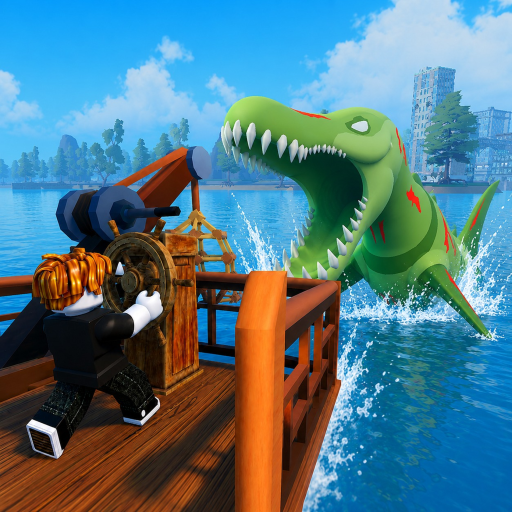
How to Redeem Fish And Monsters Codes
Redeeming codes in Fish And Monsters on Roblox takes four clicks once you know the Settings menu layout inside the game client. Losi Studio hides the code field inside Settings → Gameplay rather than the main HUD, which confuses new players searching for a dedicated Codes button on screen. This guide walks through the full path from launching the game to confirming your reward on both PC and mobile, plus fixes for expired strings, connection drops, and mobile paste issues.
Step-by-Step Redemption
Step 1: Launch Fish And Monsters on Roblox and wait for your character to fully load on the starter island.
Step 2: Click or tap the Settings gear icon on the right side of your screen.
Step 3: Select the Gameplay tab at the top of the settings panel.
Step 4: Scroll to "Enter code here...", paste from our active codes list, and click REDEEM. Copy-paste avoids typos on long strings.
Step 5: Check your Cash balance, inventory, or buff bar for confirmation before closing Settings.
Troubleshooting Failed Redemption
Invalid code errors usually mean expiration — check expired codes before retyping the same string. Connection issues can block redemption; rejoin the server and retry once. Copy-paste instead of typing to avoid character swaps between zero and letter O, or one and lowercase L.
If a buff code succeeds but no icon appears, cast once to refresh the display. Mobile keyboards may add trailing spaces — select all and paste again. Persistent failures on active codes may mean recent retirement; try a sibling code from the codes hub.
Redeeming on PC
PC players benefit from precise copy-paste from our active codes list into the Gameplay field. Left-click the code text on our wiki, copy with Ctrl+C, then paste with Ctrl+V inside the Settings panel. The Settings gear stays fixed on the right edge regardless of camera angle, so you can redeem without returning to dock.
After redeeming cash codes, open your Cash display to confirm the balance jump before purchasing rods from the vendor. For buff codes, note the HUD timer icon — PC's larger screen makes it easier to track remaining Luck Buff minutes during Midnight Mutation farming on Deep Reef.
Redeeming on Mobile
Mobile redemption follows the same Settings → Gameplay path but uses long-press to copy codes from our site, then tap the field and paste. Switch to Roblox app quickly after copying — some mobile browsers clear clipboard data after a minute. Disable autocorrect for the code field if your keyboard keeps capitalizing mid-string.
Touch targets on the Settings gear are smaller on phone screens. Zoom or rotate to landscape if you miss the button while fishing from a boat deck. Mobile players redeem the same rewards as PC; account progress syncs across devices, so claim codes on whichever platform you prefer before a Sea Monster Raid session.
Redeeming Multiple Codes
You can redeem codes back-to-back without leaving Settings — paste, REDEEM, clear the field, paste the next string. Cash and EXP codes have no timer conflicts; claim every available string from the active list during vendor trips on Starter Island.
Identical buff types usually do not stack — a second Luck code refreshes the timer rather than doubling the effect. Plan order: cash first, then mixed bundles like BALANCINGUPDATE, then Quickbite when casting starts. See the full redeem codes guide for session planning.
After Redemption — Next Steps
Cash codes should immediately fund priority purchases from our rod progression guide — Crab Rod and a starter boat before cosmetic spending. EXP codes pair well with active quests from the quest walkthrough while the multiplier lasts.
Buff codes mean it is time to fish, not idle in menus. Sail to your target island, confirm bait and inventory space, then cast before the twenty-minute Luck window expires. Use our code helper before your next session to pre-validate any new strings announced after a game update.
Frequently Asked Questions
Is there a level requirement for codes? ▼
Most current codes work at any level. Some future codes may add level gates — we note those when confirmed.
Can I redeem multiple codes at once? ▼
You can redeem codes back-to-back, but identical buff types usually do not stack.
Where is the code button on the main screen? ▼
There is no main-screen code button. Losi Studio placed redemption inside Settings → Gameplay only.
Do codes expire per account or globally? ▼
Codes expire globally when Losi Studio disables the string. Once expired, no account can redeem it.
Can I redeem codes on a private server? ▼
Yes, as long as you are playing the official Fish And Monsters experience on Roblox, not a copied place.