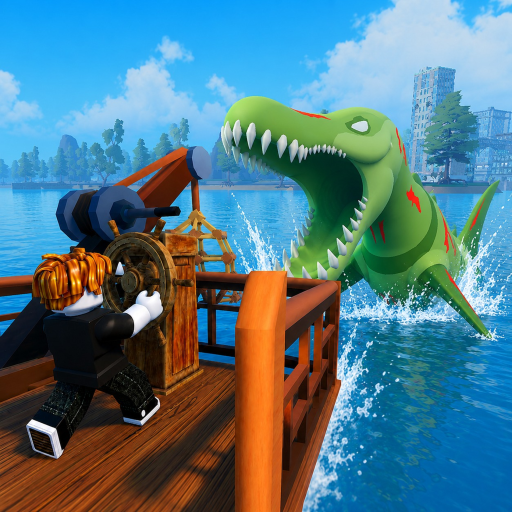
Fish And Monsters Controls
Fish And Monsters uses intuitive click-based controls shared across Roblox fishing games, but mastering cast timing, reel speed, and camera positioning separates smooth sessions from missed Legendary catches. Every platform follows charge cast, wait for bite, rapid click to reel, and fill the progress bar — while movement and UI access differ between PC and mobile. Learn the full input set before sailing to <a href="/map/cape-town/" class="text-teal-glow no-underline hover:text-teal-soft">Cape Town</a> or joining <a href="/events/sea-monster-raids/" class="text-teal-glow no-underline hover:text-teal-soft">Sea Monster Raids</a>. This overview links platform pages and the fishing minigame breakdown.
Universal Fishing Flow
Every platform follows the same loop: charge cast → wait for bite → rapid click to reel → fill progress bar. Hold click or tap to power your cast, release to throw the line, then watch the bobber until the bite indicator triggers. Once hooked, spam click or tap to reel while monitoring the bottom progress bar — pausing lets higher-tier fish escape.
The fishing minigame page breaks down each phase with rarity-specific tips. Platform-specific keybinds and gesture details live on PC controls and mobile controls. Rod choice from our rod tier list affects reel speed regardless of platform.
Movement and Navigation
Outside the minigame, you navigate islands and boat decks with standard Roblox movement. PC uses WASD plus spacebar jump; mobile uses a virtual joystick and jump button. Boats share the same movement inputs — sail from Starter Island to SeaBreeze before attempting deep-water casts that require boat access.
Camera control matters when casting from docks and vessel edges. PC players hold right-click to rotate view; mobile players drag empty screen space. Position your character so the cast arc reaches open water, not island geometry or boat railings that block the line.
UI and Menu Access
The Settings gear on the right side opens codes, gameplay options, and audio — the same panel used for code redemption. Inventory uses the standard Roblox backpack hotkey on PC or the backpack icon on mobile. Quest trackers appear on the right HUD during story, daily, and weekly objectives from our quest walkthrough.
Buff icons from redeemed codes display near your hotbar with countdown timers. Learn their location before relying on Luck Buff codes during Midnight Mutation — you cannot afford to hunt menus mid-fight when a Legendary fish bites.
PC vs Mobile Tradeoffs
PC players click faster during the reel phase, giving a measurable edge on WoodRod and BananaRod before upgrades. Mobile players compensate with two-finger alternating taps and Quickbite buff codes from our active codes list. Both platforms handle Sea Monster Raids — upgrade to Scorpio Rod or higher to close the click-speed gap.
Choose your platform based on session type: PC suits long grinding and raid DPS checks; mobile works for casual island hopping and code redemption on the go. Account progress syncs across devices, so learn controls on both if you split playtime.
Boat and Dock Fishing
Casting from boats uses identical fishing inputs once your character stands on the deck near water. Move to the rail edge before charging cast — interior boat positions may fail to reach the ocean on SeaBreeze crossings.
On PC, shift-lock helps maintain orientation while reeling on a moving deck during Storm Harbor raid prep. Dock fishing on Deep Reef removes positioning variables while learning; graduate to boat fishing for offshore Cape Town pools shallow docks cannot reach.
Controls Learning Path
New players should start with the getting started walkthrough on Starter Island, then read the fishing minigame guide before upgrading gear. Add PC or mobile specifics based on your device — the minigame logic is shared across platforms.
Return to this overview when switching devices or after long breaks. Rusty reel rhythm loses Epic fish even with endgame rods from the rod progression guide, so a quick refresher costs less time than repeated failed Legendary attempts.
Frequently Asked Questions
Can I play Fish And Monsters on mobile? ▼
Yes. Tap to cast and reel. See our mobile controls page for gesture details.
Are controls the same on PC and mobile? ▼
The fishing loop is identical. Only movement and input method differ — clicks versus taps.
Can I rebind keys on PC? ▼
Fish And Monsters uses standard Roblox controls. Movement follows Roblox defaults; fishing uses left-click.
Why does my cast fail from the boat? ▼
Stand at the deck edge facing open water. Obstructed angles or interior positions block the line.
Do controls change during events? ▼
No. Sea Monster Raids and global events use the same fishing inputs. Only fish difficulty and spawn rates change.