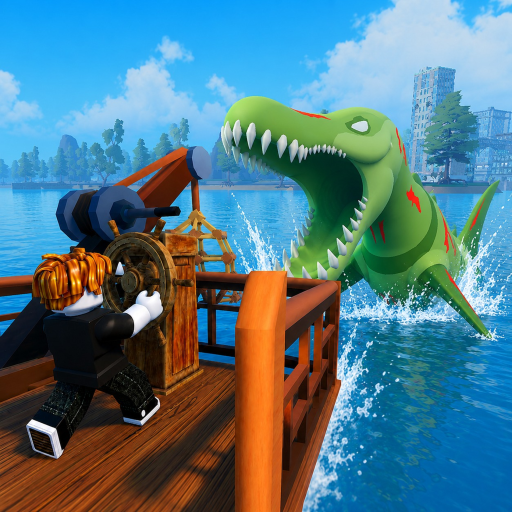
Fish And Monsters Mobile Controls
Fish And Monsters runs on Roblox mobile with touch-optimized fishing that mirrors the PC loop using taps instead of mouse clicks. The charge-cast-wait-reel sequence is identical across platforms, but device performance varies widely between phone models — newer hardware handles rapid reel tapping better during crowded <a href="/events/sea-monster-raids/" class="text-teal-glow no-underline hover:text-teal-soft">Sea Monster Raids</a>. Tablets gain extra screen space for HUD buff timers during long <a href="/map/cape-town/" class="text-teal-glow no-underline hover:text-teal-soft">Cape Town</a> grinding sessions. This guide covers touch movement, fishing gestures, and mobile tips to close the reel-speed gap.
Touch Movement
Use the virtual joystick on the left side to move your character across Starter Island and boat decks. Drag on empty screen space to rotate the camera — avoid dragging over UI buttons or the joystick zone. The jump button sits in the standard Roblox mobile layout, useful for clearing dock obstacles on the way to fishing spots.
Boats use the same joystick for navigation. Slow to a stop before casting — drifting while charging tap power reduces accuracy and wastes Quickbite buff windows from active codes. Tablet players can reposition the joystick in Roblox settings for comfortable thumb reach during long sessions.
Touch Fishing
Tap and hold to charge cast power, then release to throw your line toward open water. Partial taps work for shallow dock fishing; full holds reach deep pools once you sail to SeaBreeze and beyond. Wait for the bite vibration or visual bobber cue before reeling.
Tap rapidly to reel once hooked — consider using two alternating fingers for faster tap rate on Legendary fish. The progress bar behaves identically to PC: pausing lets high-tier fish escape. WoodRod and BananaRod demand more taps per catch than endgame rods from our rod tier list.
Mobile Tips for Better Performance
Lower Roblox graphics settings if reel taps register slowly or the progress bar stutters during fights. Close background apps to free RAM on older phones. Play on Wi-Fi instead of cellular data to avoid lag spikes during Sea Monster Raids when server tick rate matters mid-reel.
Use Quickbite Buff codes to compensate for slower mobile reel speed on starter rods — SORRYFORTHEBUGS1-3 shorten bite waits. Redeem Luck codes only after arriving at your fishing spot, not during boat travel across the map.
Mobile UI and Code Redemption
Tap the Settings gear on the right to access codes via Gameplay tab — same path as PC for code redemption. Long-press code text on our wiki, copy, switch to Roblox, paste into the field, and tap REDEEM. Disable keyboard autocorrect if it alters long compensation strings mid-paste.
The backpack icon opens inventory for selling catches before Exper Seller buffs expire. Quest tracker sits on the right HUD — tap quest entries for navigation hints during the quest walkthrough. Buff timer icons are smaller on phone screens; rotate to landscape for better visibility during Midnight Mutation farming.
Sea Monster Raids on Mobile
Mobile is viable for Sea Monster Raids at Storm Harbor, but PC players may reel slightly faster during boss loot phases. Upgrade past WoodRod before your first raid — Crab Rod and Scorpio Rod reduce tap burden enough to compete. Use mixed buff bundles like BALANCINGUPDATE before joining.
Join raids on Wi-Fi with graphics lowered to minimum if frame drops cause missed taps. Two-finger reel technique matters most on Legendary raid drops where the progress bar drains quickly. Read how to join raids for timing and boss raid strategy before your first mobile attempt.
Tablet vs Phone Differences
Tablets offer larger tap targets for the Settings gear, backpack, and buff icons — reducing mis-taps during fast reel sequences on Legendary fish. Phones require precise thumb placement on the virtual joystick while tapping with another finger to reel during fishing minigame fights.
Tablets suit dock fishing and inventory management; phones work for quick code redemption and short Starter Island sessions. Account progress syncs across devices, so learn controls via the getting started walkthrough on whichever device you prefer.
Frequently Asked Questions
Is mobile viable for Sea Monster Raids? ▼
Yes, but PC players may reel slightly faster. Upgrade rods and use buff codes to close the gap.
How do I reel faster on mobile? ▼
Use two alternating fingers to tap rapidly. Upgrade from WoodRod and enable lower graphics for smoother input registration.
Does mobile support code redemption? ▼
Yes. Settings → Gameplay → paste code → REDEEM. Same rewards as PC.
Why does my tap not register while reeling? ▼
Lag, low FPS, or tapping over UI elements causes missed inputs. Tap the center screen area and lower graphics settings.
Can I play on mobile and PC with one account? ▼
Yes. Roblox syncs Fish And Monsters progress across platforms on the same account.