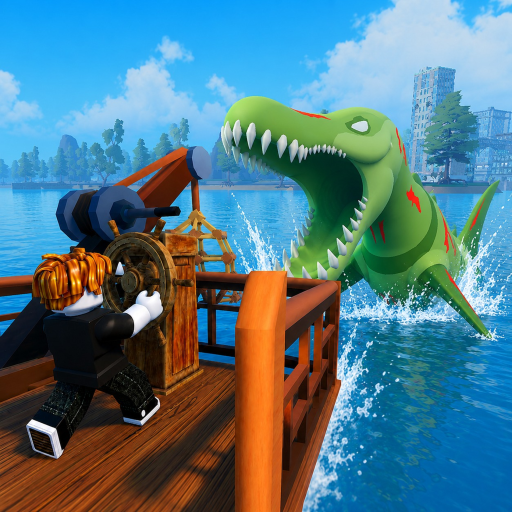
Event Timer Reference
Global events in Fish And Monsters display countdown timers on the in-game HUD, signaling windows when rare spawns, mutation rates, or Mythic fish availability increase server-wide. This reference explains each event timer, how it interacts with Sea Monster Raid notifications, and how to plan fishing sessions that stack event bonuses with <a href="/codes/active/" class="text-teal-glow no-underline hover:text-teal-soft">code buffs</a> for maximum efficiency across islands from Starter Island through Abyss Gate.
HUD Timer Events
Four major timer types appear during Fish And Monsters sessions. Cosmic Blessing boosts rare fish spawn rates across all islands — prioritize deep-water zones on Cape Town and Abyss Gate during active countdowns. Midnight Mutation increases mutation odds on caught fish rather than base rarity, ideal for collection log completion and appraisal profits. Leviathan Madness elevates Mythic-tier spawns near raid zones and synergizes with Sea Monster Raids. Raid notifications use a separate top banner with its own participation window distinct from global event HUD timers.
Reading the In-Game Countdown
Global event timers typically appear as icons or text overlays near the top or side of your screen with remaining minutes and seconds. When a timer appears, stop traveling and fish your current high-value zone immediately — spawn boosts apply server-wide regardless of island. Timer durations shift during balancing updates, so treat community references as planning estimates while watching the live HUD for authoritative countdown values. If multiple events overlap, prioritize the mechanic matching your goal: Cosmic for Rare volume, Midnight for mutations, Leviathan for Mythic hunts.
Planning Sessions Around Timers
Stay in-server during weekly update windows when Losi Studio often increases event frequency to showcase new content like the [CAPE TOWN] island launch. Stack buff codes two minutes before timers appear — Luck Buff for Cosmic Blessing, Quickbite for volume grinds, Exper Seller before selling accumulated catches. Avoid server hopping during active timers; loading screens cause missed bites and raid banners. Mid-game players on SeaBreeze should remain through full Cosmic windows before boating to Cape Town unless Leviathan Madness favors raid staging at Storm Harbor.
Event and Raid Overlap Strategy
The highest-value sessions combine overlapping events. Leviathan Madness plus an active Sea Monster Raid can yield Mythic boss materials and enhanced loot tables in one participation cycle — read beat boss raids guide before attempting. Cosmic Blessing overlapping Midnight Mutation lets you catch Rare fish that also roll mutations, doubling collection progress. Track overlap manually when two HUD icons display simultaneously, and equip Scorpio Rod or Shark Rod minimum before these windows since event fish still demand reel speed detailed on rod tier list.
When No Timer Is Active
Use downtime between global events for progression tasks that do not depend on spawn boosts. Complete story and daily quests on SeaBreeze using quest walkthrough routes. Farm Cash on Starter Island shoreline with Quickbite codes for consistent bite frequency. Prepare for the next window by emptying inventory, upgrading rods via rod progression guide, and verifying active codes for fresh Losi Studio releases. Consult the full events hub for individual event deep dives beyond this timer summary.
Frequently Asked Questions
Do events follow a fixed daily schedule? ▼
No. Global events trigger dynamically with higher frequency during peak hours and after weekly patches. Stay in-server for best odds.
Can I extend an event timer with codes? ▼
Codes grant separate buff timers that stack conceptually with events but do not extend the global HUD countdown itself.
Which event is best for rare fish? ▼
Cosmic Blessing directly boosts rare spawn rates. Pair it with Luck Buff codes and Scorpio Rod or better on deep-water islands.
How are raid timers different from global events? ▼
Sea Monster Raids use a separate spawn banner with a short Participate window, not the standard global event HUD countdown icon.