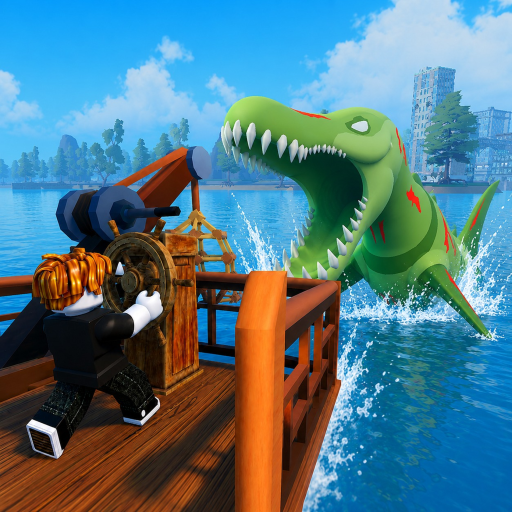
Fish And Monsters PC Controls
Playing Fish And Monsters on PC gives you precise cast timing and faster reel clicking during difficult catches on Legendary and Epic fish. Roblox defaults map cleanly to Losi Studio's fishing mechanics — WASD movement, mouse camera, left-click fishing — with no hidden keybinds required for the core loop. These are the standard controls based on Roblox defaults and in-game fishing behavior verified across current patches. PC remains the preferred platform for <a href="/events/sea-monster-raids/" class="text-teal-glow no-underline hover:text-teal-soft">Sea Monster Raids</a> and long <a href="/map/cape-town/" class="text-teal-glow no-underline hover:text-teal-soft">Cape Town</a> grinding sessions where click speed during the reel phase directly affects catch rate.
Movement and Camera
Use WASD to move your character across islands and boat decks. Hold right-click to rotate the camera independently of movement direction — essential when lining up casts toward offshore pools. Spacebar jumps over small obstacles on Starter Island docks. Shift toggles shift-lock for consistent forward movement while fishing from narrow boat rails or storm harbor platforms.
Camera angle affects cast distance and direction. Before charging a cast, rotate view so open water fills your aim arc. Poor camera placement sends lines into rocks or boat hulls, wasting Quickbite buff timers from active codes.
Fishing Controls
Left-click and hold to charge your cast power, then release to throw your line. Longer holds send the bobber farther — required for deep pools on Cape Town. When the bobber hits water, wait for the bite indicator: a splash, bobber dip, or audio cue depending on fish rarity.
Once hooked, click rapidly to reel — speed matters on slow rods like WoodRod and BananaRod. Fill the bottom progress bar completely to land the fish. Higher-tier catches drain the bar if you pause, so maintain rhythm. See fishing minigame tips for advanced reel techniques and rod-specific click rates from our rod tier list.
UI Shortcuts
Settings (gear icon, right side) opens codes, gameplay options, and audio — the path for code redemption on PC. Inventory management uses the standard Roblox backpack hotkey. Quest tracker appears on the right side of the HUD during story, daily, and weekly objectives documented in our quest walkthrough.
Buff icons from redeemed codes sit near the hotbar with visible timers — critical when stacking Luck Buff windows before Midnight Mutation. Esc opens the Roblox menu for server rejoin if lag affects reel registration during raids.
Maximizing Reel Speed on PC
Click as rapidly as possible during the reel phase — jitter clicking and high-polling mice help on starter rods. Upgrading from WoodRod to Crab Rod and then Scorpio Rod improves base reel speed significantly, reducing raw click dependency. Some players alternate two mouse fingers for sustained bursts on Secret-tier fish at Abyss Gate.
Lower Roblox graphics settings if clicks fail to register during crowded Sea Monster Raid servers. Frame drops mid-reel cause lost Legendary catches even when your rhythm feels correct. Stable FPS matters as much as click rate.
Boat Fishing on PC
Position your character on the boat deck near water, then cast normally with left-click hold and release. Shift-lock keeps orientation stable while the boat moves — toggle it before casting from moving vessels sailing toward Storm Harbor. Stand at the rail edge; casting from the cabin area often fails.
Boat navigation uses the same WASD keys as on-foot movement. Anchor your fishing spot by stopping movement before charging cast power — drifting mid-charge reduces accuracy. PC's precise camera control makes boat fishing superior to mobile for offshore Cape Town targets.
PC Setup Recommendations
Play in fullscreen or borderless window to minimize accidental alt-tab during reel spam on Legendary catches at Cape Town. Wired mice outperform trackpads for sustained clicking during Sea Monster Raids when every registered input counts toward exclusive boss loot on active Storm Harbor raid servers.
Pair PC controls with the how to play guide and complete the getting started walkthrough on Starter Island with WoodRod before attempting advanced minigame techniques on SeaBreeze and higher islands.
Frequently Asked Questions
How do I reel faster on PC? ▼
Click as rapidly as possible or use a mouse with high click-rate capability. Upgrading from WoodRod improves base reel speed significantly.
Can I fish from a boat on PC? ▼
Yes. Position your character on the boat deck near water, then cast normally.
Does scroll wheel do anything while fishing? ▼
No. Fishing uses left-click only for cast and reel. Scroll wheel adjusts camera zoom if Roblox settings allow.
Can I use a controller on PC Roblox? ▼
Roblox supports controllers, but Fish And Monsters fishing is optimized for mouse clicking. Mouse is strongly recommended.
Why did my click not register during a reel? ▼
Lag, low FPS, or clicking outside the game window causes missed inputs. Rejoin the server and lower graphics if it persists.